

Networking and events · 5 min read
How to Exchange Contact Details Professionally at Events
How to exchange contact details professionally: the right moment, the right method and the note that makes it memorable. Simple steps for any event or meeting.
Agent Q
Every handshake, a lead you can see.
QR and NFC business cards your company controls: always current, switched off when someone leaves, every scan a lead.
Book a free demoSee how it worksLearning to exchange contact details professionally sounds trivial until you watch it go wrong: a visitor reading out a number while you type with one thumb, a card handed over crumpled, an email address spelt three times. A small moment becomes an awkward pause.
The way you exchange details says something about how organised you are. This guide covers the right moment, the main methods, a simple script and a few habits that make the other person likely to remember you.
Pick the right moment
Do not ask for contact details in the first thirty seconds. Wait until there is a reason: you have discussed something useful, you have promised to send information or you both want to continue the conversation.
The natural phrase is: 'I would like to send you that article. What is the best way to reach you?' This gives a reason and lets the other person choose the channel. People are far more willing to share when they know why you are asking.
A good test is whether the exchange takes less than ten seconds and leaves both people feeling organised. If it takes longer, simplify it.
Your main options
Paper business card
Still familiar and welcome in many settings. Its weaknesses are that it can be lost, it needs retyping and it cannot be updated if your details change.
Speaking or typing details
Slow and error-prone. Phone numbers and email addresses are easy to mishear, especially in a loud hall.
Connecting on a professional network
Quick, but only if the other person uses it and you can find the right profile among similar names.
A QR code or NFC card
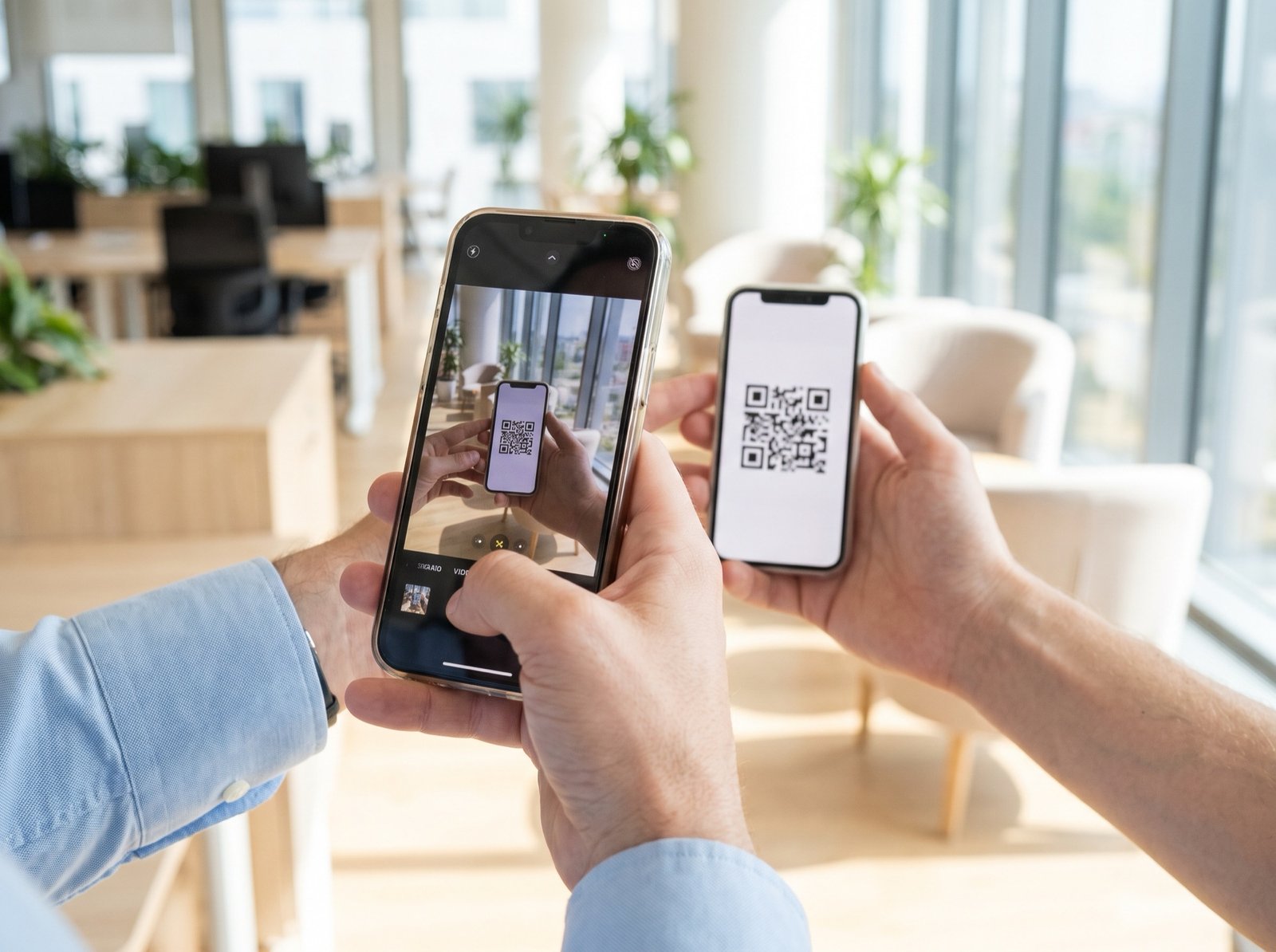
The other person scans with their phone camera or taps their phone. They see your details and can save them immediately, with no app. They can also leave their own name and number. This is the fastest and cleanest method when both parties have phones to hand.
The right choice depends on the setting. A formal meeting may expect a paper card as a courtesy, a loud exhibition suits a scan or a tap, and a quiet dinner may be best served by a simple message sent the next morning. Having more than one method ready makes you flexible.
A simple script
Use these four steps. They work at a conference, a stand or a casual meeting.
- Give a reason: 'I would like to send you that checklist.'
- Offer the method: 'I can share my card with you now, or would you like to give me your number?'
- Confirm: look at the screen or card and repeat the key detail.
- Add a note: write a few words about the conversation straight after you part.
The note matters more than the method. A name with 'works on onboarding, wants checklist, meet in March' is a lead. A name alone is just a name.
Handle cards with care
If you do carry paper cards, small habits show respect. Keep them in a clean case, not a back pocket. Hand over yours with the text facing the other person. When you receive one, read it, say something about it and put it away carefully rather than straight into a bag.
Customs vary by region. In parts of Asia and the Middle East, giving and receiving with both hands or the right hand shows respect, and the card is treated with some ceremony. See business card etiquette in the USA, UAE and India for details.
If you are given a card in a meeting, do not write on it in front of the person, particularly in regions where cards are treated with some ceremony. Make your notes after you part, in private, and keep them with the contact record.
Respect privacy and permission
Only use details for the purpose the person expects. If someone shares their number so that you can send a document, do not add them to a mass list without asking. Good manners and data protection rules point the same way in the USA, the UAE and India.
- Say what you will do with the details.
- Ask before adding anyone to a newsletter.
- Delete details if someone asks you to.
- Keep contacts in a company system where possible, not on a personal phone.
What happens after the exchange
The exchange is only the start. Send a short message within a day or two and use a detail from the conversation. See event follow-up email templates for wording.
If you are exchanging details for a company, make sure the record lands in the company's system and not only on a personal phone. A contact that lives only on one phone leaves with the person who owns it.
One more habit: confirm the spelling of the name once. A message that misspells the recipient's name loses goodwill immediately, and checking costs a few seconds.
How Agent Q makes the exchange clean
Agent Q gives each employee a QR and NFC business card controlled by the company. Customers need no app: the camera scans the QR code, and NFC phones open the card on a tap. Details are always current, because the company edits a card once and every QR and NFC card shows the change.
When the other person leaves their name and number, it can be counted as a lead for that salesperson. Teams that still hand out paper can see how this works on the page for teams using paper cards, and the page for managers of salespeople.
Personal digital card or company card?
Anyone can now make a personal digital card in a minute, and many of your people will. That is good news: clients are used to scanning and tapping. But a personal card carries the employee's own design, sends leads to them, and leaves with them. For a sales team, the card should belong to the company.
| Personal digital card | Company card (Agent Q) | |
|---|---|---|
| Who issues it | The employee, on a personal account | The company, for every employee |
| Brand and design | Whatever each person picks | Your brand; the layout is locked by an admin |
| When someone leaves | The card and the contacts leave too | One switch: the card points to a colleague or your page |
| Leads from scans | Go to the person | Captured for the company, counted per salesperson |
| Scale and control | One person at a time, no audit | Thousands of staff, synced from HR, every change logged |
Read more: company digital business cards · India · Dubai and the UAE · USA · a card policy you can copy
Frequently asked questions
What is the best way to exchange contact details at an event?
A QR code or NFC card is usually fastest, because the other person scans or taps and sees your details at once, with no app. Pair it with a short note about the conversation. Paper cards and professional networks are good alternatives.
When should you ask for someone's contact details?
Wait until there is a reason, such as sending an article, continuing the discussion or arranging a meeting. Ask in a way that explains the purpose: 'I would like to send you that, what is the best way to reach you?' It feels natural instead of forced.
How do you give someone your number without it being awkward?
Offer a method rather than reading out digits: share your digital card, tap phones or let them scan a code. Then confirm and move on. Giving a reason for the exchange also helps, because people feel comfortable when they know the purpose.
Are digital business cards professional?
Yes. Many professionals prefer them because details are always current and the other person can save them in seconds. A company-controlled card also looks consistent across a team. Where a paper card is expected, you can carry both without any trouble.
Turn every handshake into a lead you can see
Agent Q gives every employee a QR and NFC card your company controls: always current, switched off when someone leaves, and every scan can become a lead.